2026 Best iPod 5 Back Camera Replacement Options?
Choosing the 2026 best iPod 5 back camera replacement is not simply a matter of finding the cheapest part. The fifth-generation iPod touch is an older device, so camera modules may come from original stock, refurbished phones, or unverified third-party batches. Each option can produce different results.
The practical question is condition. Does the replacement include a clean lens, an undamaged flex cable, and a properly aligned sensor? A reliable seller should show clear product photos, identify compatibility, and provide a reasonable return policy. Look for sharp daylight images, accurate colors, and stable autofocus after installation. Dust beneath the lens can appear as gray spots in every photo. A loose connector may create a black screen or intermittent camera failure.
Repair authority also matters. Kyle Wiens, iFixit’s CEO, is widely associated with the statement, “If you can’t fix it, you don’t own it.” That principle fits this repair, but the iPod 5 is not an easy beginner project. The display and internal adhesive make careless opening risky. A replacement may restore basic photography, yet it will not make the old sensor perform like a modern smartphone camera.
Expect trade-offs. Original used parts may offer better consistency but limited availability. Refurbished modules can be excellent, though quality varies between sellers. Low-cost copies may look attractive and disappoint quickly. I cannot promise one universal winner. The best choice depends on budget, repair skill, part verification, and the camera’s intended use. This guide compares those factors carefully, including installation difficulty, image quality, seller credibility, and long-term reliability.
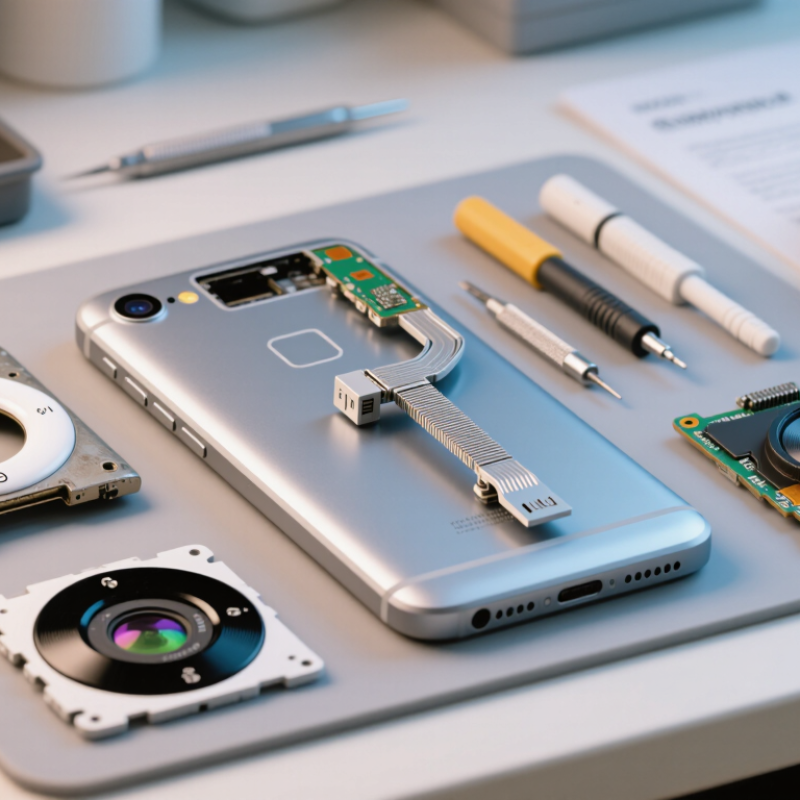
iPod Touch 5 Back Camera Specifications and Common Failure Symptoms
The fifth-generation touch player uses a 5-megapixel rear camera with autofocus and an LED flash. It records 1080p video at up to 30 frames per second. Its small sensor needs steady hands and bright light. Grainy indoor images are normal, not automatic proof of failure.
Common symptoms include a black preview, frozen camera application, purple color casts, soft focus, or a flash that never activates. Dust under the lens window can mimic sensor damage. A loose flex cable may cause intermittent failure after a drop. Test the front camera, video mode, autofocus, and flash separately. I would not replace the module before checking the connector. That assumption is often wrong.
Available replacement choices include a tested original pull, a professionally refurbished module, and a new third-party assembly. A tested original usually offers the closest focus behavior, but its history may be unclear. Refurbished parts can be reliable when technicians verify autofocus and video recording. Low-cost assemblies may show fixed focus or weaker color accuracy. The Global E-waste Monitor 2024 reports 62 million tonnes of electronic waste in 2022, while only 22.3% was formally collected and recycled. Reusing a working camera supports better material efficiency, although replacement quality still matters. Record the part condition, test results, and warranty period before installation. Even careful recommendations remain imperfect because old devices can contain hidden board damage.
Key Factors for Choosing a Compatible Replacement Camera in 2026
Choosing an iPod 5 back camera replacement starts with exact compatibility, not appearance. Check the device’s model number, camera connector, mounting shape, and cable length. A camera may look identical yet fail because its flex cable is positioned differently. The expected rear camera specification is also important, including image resolution and video support. Do not rely on a marketplace title alone.
Repair experience shows that connector alignment matters most. During installation, compare the replacement with the original under bright light. Look for matching screw holes, contact points, and lens placement. Keep dust away from the sensor and avoid touching the lens with bare fingers. Static protection is wise, even during a short repair. A small mistake can create blurry photos or an unusable camera.
Ask for clear technical specifications and real product photos before ordering. A dependable seller should state compatibility, testing procedures, and return conditions. Reviews can help, but they are not proof of consistent quality. Some replacement cameras perform well in daylight but struggle indoors, which is easy to miss during a quick test. I have found that careful comparison takes longer than expected. It still costs less than repeating the repair after a rushed purchase. Test the camera, flash function, focus response, and video recording before fully sealing the device.
Original, Refurbished, and Third-Party iPod 5 Camera Options Compared
For a 2026 iPod 5 back-camera replacement, original, refurbished, and third-party modules differ sharply in reliability. An original pulled module usually offers the closest match for autofocus, color balance, and 1080p video. Check its connector and lens glass carefully. Small scratches can create bright halos around lamps. Professional technicians should also test the camera before sealing the device.
Refurbished modules can be practical when the seller records focus, exposure, and video tests. However, “refurbished” is not a universal quality grade. Some units only receive cleaning and visual inspection. Others include a replaced lens or sensor. The Global E-waste Monitor 2024 reports that 62 billion kilograms of electronic waste were generated in 2022, while only 22.3% was formally collected and recycled. Choosing a tested repair part supports longer device use, but poor refurbishment can waste time and materials.
Third-party cameras are often cheaper and easier to find. Their image may look acceptable outdoors, yet indoor photos can show softer detail, slower focus, or uneven exposure. Counterpoint Research’s refurbished smartphone data shows growing consumer acceptance of reused hardware, but that trend does not guarantee compatibility with older tablet-style devices. Ask for sample photos, return coverage, and proof of video recording. I would choose a tested original first, then a documented refurbished unit. A low-cost untested module remains a gamble. Check twice.
Step-by-Step Guide to Replacing the iPod Touch 5 Back Camera
Replacing the rear camera in a fifth-generation touch media player requires patience, clean tools, and steady hands. Prepare a replacement camera, a small Phillips screwdriver, plastic opening picks, tweezers, and low-temperature heat. Back up your data, power the device down, and let the battery cool before opening it.
Warm the screen edges briefly to soften the adhesive. Do not overheat one spot. Slide a plastic pick beneath the glass, keeping it shallow around the corners. Lift the screen slowly, because several delicate flex cables remain attached.
Remove the internal screws and shields that block access to the rear camera connector. Use tweezers to release the connector vertically, not sideways. Fit the new camera, press the connector evenly, and keep fingerprints away from the lens.
Test the camera before resealing the screen. Check focus, flash behavior, image corners, and video recording. If the image looks hazy, inspect the lens for dust rather than pressing harder. Replace softened adhesive with thin, compatible strips, then align the screen carefully. My first repair attempt left a small gap near one corner. It still worked, but the uneven seal showed that rushing the final step was a mistake. Keep every screw separated by position, since similar screws may have different lengths. If the screen resists or the battery appears swollen, stop and seek qualified repair assistance.
Post-Replacement Testing, Troubleshooting, and Maintenance Tips
After replacing the rear camera on a fifth-generation media player, test it before closing the case completely.
Open the camera application and capture images at near, medium, and distant ranges. Check focus, color, video recording, and saved-file playback. Test it twice.
Dust matters.
A black preview usually points to a loose connector, damaged flex cable, or poor contact pressure.
Blurred images may indicate a tilted module, protective film, or dust beneath the lens window. If colors look green or purple, inspect the connector under magnification and reseat it carefully.
Do not rush.
I have found that repeated connector handling can create faults during an otherwise successful repair.
Maintenance should remain simple.
Clean the outer lens with a dry microfiber cloth, avoid pressing the camera window, and use a case that does not touch the module. Keep the device away from moisture and extreme heat.
The Global E-waste Monitor 2024 recorded 62 million tonnes of electronic waste in 2022, with only 22.3% formally collected and recycled.
Extending service life matters. The European Environment Agency’s 2024 circular-economy reporting also identifies reuse and longer product use as important waste-reduction measures. Still, replacement parts vary. A camera can pass a quick test and fail later, so repeat image and video checks after several days. Save important files before further troubleshooting.