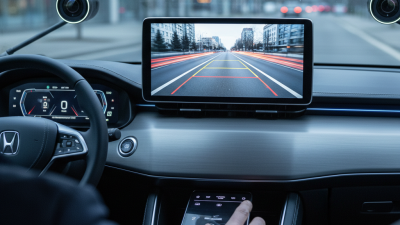
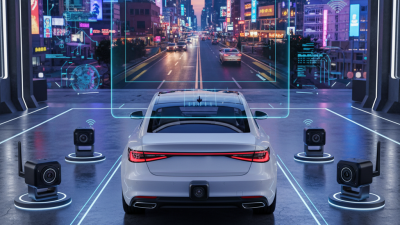
2026 How to Choose a Wireless Rearview Camera?
Choosing a Wireless Rearview Camera is not merely a question of image quality or installation speed. It is a safety decision made around moving traffic, poor weather, and limited visibility. In its rear visibility rulemaking analysis, the U.S. National Highway Traffic Safety Administration estimated approximately 210 fatalities and 15,000 injuries annually from backover crashes. That finding explains why rear-visibility systems became mandatory on new vehicles in the United States from May 2018.
Yet wireless technology introduces practical variables. Signal stability matters near metal body panels, busy parking areas, and electrical equipment. A camera may show a clear image in a showroom, then develop delay beside a crowded highway. Night performance, viewing angle, waterproof rating, mounting strength, battery life, and monitor brightness deserve equal attention. IP ratings should be checked, not assumed. Marketing language is not testing evidence.
David Zuby, chief research officer at the Insurance Institute for Highway Safety, has cautioned: “A backup camera can help drivers see what’s behind them, but it can’t see everything.” That sentence should guide every purchase. A Wireless Rearview Camera supports careful driving; it does not replace mirrors, shoulder checks, or sensible speed. The best choice depends on the vehicle, trailer length, driving environment, and installation quality. Even professional recommendations can miss one detail: interference caused by a specific vehicle layout. Therefore, this guide compares real-world performance, not impressive specifications alone. A perfect system does not exist. A dependable one can still prevent a costly mistake.
Define Your Driving Scenario, Mounting Limits, and 12V Vehicle Compatibility
Choosing a wireless rearview camera starts with your driving scenario, not the screen size. A city driver may need a wide view for narrow parking spaces. A trailer user may need a longer transmission range and a stable image at distance. Night driving also matters. Look for infrared support, controlled brightness, and clear visibility around dark bumpers. Rain, dust, and road spray can quickly expose weak construction, so check the camera’s weather-resistance rating.
Mounting limits deserve careful measurement. Check the license-plate area, rear hatch angle, cable path, and available clearance. A camera mounted too low may show the road instead of approaching obstacles. One mounted too high can hide a small object near the bumper. Wireless does not mean installation-free. The transmitter still needs power, and nearby metal panels may weaken the signal. Test the image with the hatch open and closed. My first test would not be enough.
Tips
Confirm your vehicle’s 12V system before buying. Some vehicles produce different voltage levels during engine startup or charging. Read the camera’s input-voltage range and current requirement. Identify a suitable power source, such as the reverse-light circuit or a separately protected accessory line. Never guess from wire color. Use a meter and follow the vehicle service manual. Add a correctly rated fuse when required. Test reverse engagement, night clarity, signal stability, and parking alignment before securing every panel. A small delay can feel harmless, but it may matter in a tight space. If the wiring is unfamiliar, ask a qualified installer to inspect it.
How to Choose a Wireless Rearview Camera in 2026
Start with the driving scenario, then confirm the mounting space and vehicle voltage. Passenger cars and most light commercial vehicles use a 12V electrical system, while many heavy trucks and buses use 24V. A camera designed for a 12V vehicle should be connected to a suitable regulated supply when voltage may rise to approximately 13.5–14.8V while the engine is running.
Check IP67 Protection, Operating Temperature, and Vibration Resistance
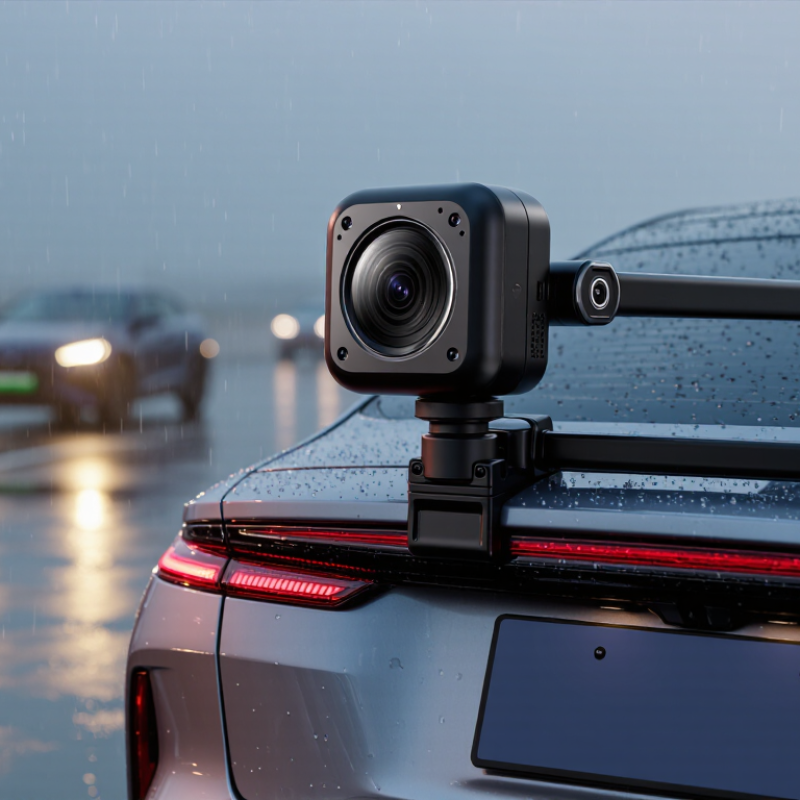
When choosing a wireless rearview camera, inspect IP67 protection rather than trusting a vague “waterproof” claim. Under IEC 60529, IP67 means dust-tight performance and temporary immersion in one metre of water for up to 30 minutes. It does not guarantee resistance to high-pressure washing, road salt, or repeated freezing. Look for sealed connectors, a covered lens edge, and drainage around the mounting bracket.
Temperature matters just as much. ISO 16750-4 provides automotive methods for testing heat, cold, dampness, and temperature cycling. A camera may face hot asphalt near 70°C, then sudden rain or winter frost. Check the manufacturer’s operating range, not only its storage range. The difference is easy to miss.
NHTSA’s Backover Prevention Technologies report estimated about 210 fatalities and 15,000 injuries annually in the United States from backover incidents, highlighting why image stability matters in real conditions.
Vibration resistance deserves a physical check. ISO 16750-3 evaluates mechanical loads, but the correct test profile depends on the vehicle location and mounting method. A loose bracket can create shaking, blurred images, and intermittent wireless signals on rough roads. I would prefer documented vibration testing, reinforced fasteners, and a short cable path. Still, a laboratory pass is not permanent proof. Mud, careless installation, and months of vibration can expose weaknesses. That is where my first choice can be wrong.
Verify Latency Below 100 ms, Parking Mode, FCC Compliance, and Warranty
A wireless rearview camera should feel immediate, not delayed.
Set a practical target below 100 milliseconds. Test it while reversing past a moving object or a person at a safe distance. Count the gap between movement and screen response. A smooth image can still hide dangerous delay.
NHTSA’s Federal Motor Vehicle Safety Standard 111 requires a rear-view image within two seconds after reverse selection and coverage of a 10-by-20-foot area behind the vehicle. That legal benchmark is useful, but it does not guarantee low wireless latency.
Parking mode matters when the vehicle is unattended.
Look for continuous recording, impact-triggered activation, and low-voltage protection. Check whether the camera records clearly at night and remains stable in rain. The Insurance Institute for Highway Safety has repeatedly noted that rear cameras improve visibility but cannot remove every blind spot. Real testing matters. Some installation guides make this look easier than it is.
FCC compliance should be verifiable through an equipment authorization record or clear supplier documentation. This reduces uncertainty around radio interference, though it does not prove image quality. Read the warranty carefully. Confirm its length, battery coverage, water-resistance terms, and replacement process. A longer warranty is not automatically better.
I would also test the unit for several days before permanent installation, because wireless dropouts may appear only near metal structures or crowded parking areas. Mistakes happen. A careful buyer leaves room for them.