Leave Your Message

7 Tips for Choosing the Best Car Camera System?

Choosing a Car Camera System is not just about buying the sharpest lens. It is about finding a setup that records useful detail, fits your vehicle, and works when you need it. A bright display can look impressive in a showroom. On a rainy evening, clear plate detail and dependable recording matter more.

David Zuby, chief research officer at the Insurance Institute for Highway Safety, studies vehicle safety. A practical, non-verbatim summary of the safety principle behind that work is: “Technology can support safer decisions, but it cannot replace an attentive driver.” Keep that distinction in mind. A camera is a useful witness, not a co-pilot. Check how it handles glare, night scenes, heat, and motion before trusting its polished product photos.

This guide presents seven tips for comparing camera systems, from image quality and coverage to storage, installation, and everyday controls. Look closely at the small details: a cable crossing the windshield, a timestamp that drifts, or footage that is difficult to retrieve. Those details can shape daily use. Specs are not the whole story. Some needs are easy to overlook until the first frustrating setup; that deserves a second thought. The right choice depends on your vehicle, routes, and comfort with installation. Consider each trade-off carefully, then choose a system you can operate consistently.
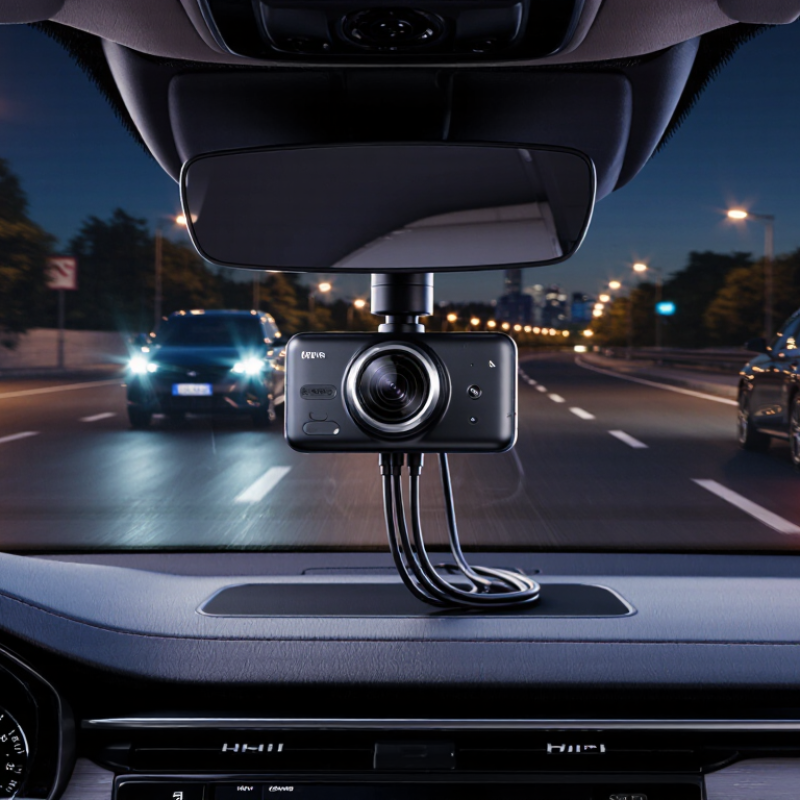
7 Tips for Choosing the Best Car Camera System?

Define Your Driving Needs and Camera Coverage

Define Your Driving Needs and Camera Coverage

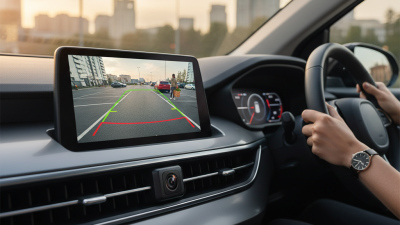
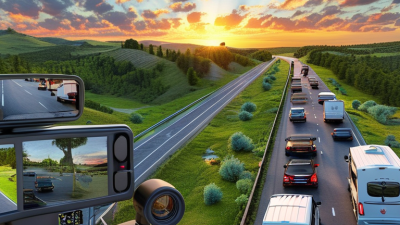
Choosing a car camera system starts with your daily driving, not the number of cameras advertised. I once focused too heavily on image resolution and overlooked my narrow apartment parking space. That mistake taught me a practical lesson: coverage must match real driving risks. Consider whether you commute through busy intersections, park outdoors, travel at night, or drive long distances. A front camera may suit highway use, while front-and-rear coverage can better document sudden braking or rear impacts. Coverage gaps matter.

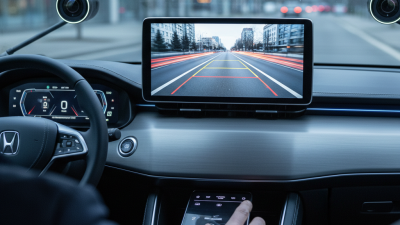
Walk around your vehicle and identify what you cannot see from the driver’s seat. A side camera may help with lane changes, while an interior camera can record passenger activity or commercial driving conditions. Check the viewing angle carefully. A wide lens may capture more area, but extreme distortion can make nearby objects look farther away. Night performance also deserves attention. Test the system in rain, low light, and underground parking, where glare often reduces useful detail.

Storage capacity, power stability, and mounting position affect reliability. The camera should not block your view or become loose over rough roads. Review recordings on a computer before trusting the system. This simple step can reveal blurred plates, missing audio, or poor exposure. No setup covers every situation perfectly. Reassess your needs after several weeks, because your first choice may not fit your actual driving habits.

7 Tips for Choosing the Best Car Camera System? - Define Your Driving Needs and Camera Coverage

A practical comparison guide for selecting camera coverage, recording quality, storage, and installation features.

Tip Driving Need Recommended Camera Coverage Useful Specifications Why It Matters
1. Define your main purpose Daily commuting and documenting traffic incidents Front-facing camera At least 1080p recording; automatic loop recording; event protection A front camera records the road ahead while keeping the system simple and affordable.
2. Match coverage to blind spots Frequent lane changes, urban traffic, or parking in busy areas Front and rear cameras, with optional side or cabin coverage Two-channel recording; rear camera connection; wide horizontal viewing angle Multiple viewpoints can provide clearer context during rear-end impacts, merging, and parking events.
3. Choose practical image quality Highway driving and identifying road signs or license plates Front camera with a clear, undistorted view of the road 1080p is a useful baseline; 1440p or 4K can capture more detail but uses more storage Higher resolution may improve detail, but lens quality, lighting, and compression also affect clarity.
4. Prioritize night performance Night driving, underground parking, or poorly lit streets Front and rear cameras with strong low-light capability Wide-aperture lens; HDR or WDR processing; infrared lighting for cabin recording when needed HDR or WDR can help balance bright headlights and dark surroundings, although performance varies by scene.
5. Check parking protection needs Leaving the vehicle in public lots or on the street Front and rear coverage; optional cabin or side monitoring Impact detection; motion detection; time-lapse option; low-voltage battery protection Parking recording can help document collisions or attempted entry, but it may require a suitable power connection.
6. Plan storage and file access Long commutes, road trips, or regular evidence backup Any camera layout, based on the amount of footage required High-endurance microSD card support; loop recording; Wi-Fi or removable-card transfer Higher resolution and additional cameras create larger files, so storage capacity and card durability are important.
7. Evaluate installation and privacy Users who want a discreet setup or frequently change vehicles Coverage selected according to windshield space, rear-window access, and interior privacy preferences Compact mounting; adjustable lens; secure cable routing; selectable audio and location settings A clean installation improves visibility and reliability, while privacy controls help limit unnecessary audio or location recording.
Selection rule: Start with your driving environment and the areas you need to document. Then balance camera coverage, image quality, night performance, storage capacity, installation requirements, and local recording regulations.

Compare Video Quality, Night Vision, and Recording Features

Choosing a car camera system means comparing footage you can actually read, not just impressive specifications. NHTSA’s 2022 Fatality Analysis Reporting System recorded 42,514 U.S. traffic deaths, underscoring why clear incident evidence matters. Look for sharp number plates and road signs in sample clips, especially when the vehicle moves. Higher resolution can help, but poor lenses or compression may erase fine details. A spec sheet can still mislead.

Tip: Test night vision using real, unedited footage. Check whether headlights wash out nearby details and whether shadows hide pedestrians or lane markings. Infrared illumination can help inside a cabin, but it does not automatically improve an outward-facing road view. Small details matter.

Tip: Review recording features before buying. Confirm loop recording, automatic saving after a collision, and how long files remain available. Check whether the system records sound, GPS, or front and rear views, then choose only what suits your needs. A short sample playback can reveal glitches that a feature list misses. I would not assume every saved clip is useful; glare, a dirty windshield, or a loose mount can still spoil the evidence.

Choose Storage Capacity, Power Options, and Event Protection

7 Tips for Choosing the Best Car Camera System?

Storage capacity affects how useful your camera is after an incident. A 64GB card may suit short daily commutes, but frequent drivers often need 128GB or more. Check the camera’s bitrate, resolution, and recording hours before buying. Higher resolution fills storage faster. Loop recording helps, yet important files should never depend on luck.

Power options deserve careful attention. An accessory socket is simple and practical for temporary use. A hardwired kit can support parking recording, but installation must include a suitable low-voltage cutoff. Otherwise, the vehicle battery may drain. Some systems accept an external battery pack, which reduces battery stress. I once assumed every parking mode worked equally well. That assumption was wrong.

Event protection should be tested, not merely advertised. Look for impact detection, emergency file locking, and clear time stamps. A locked clip should remain safe from automatic overwriting, while normal footage continues recording. Check whether the sensor reacts to light bumps without creating hundreds of useless files. Storage cards also need regular health checks and replacement when errors appear. Keep the lens clean, especially after rain or dusty road trips. A camera can record an event, but poor placement may hide the most important detail. Reliability comes from matching storage, power, and protection features to your driving routine.

Check Installation Requirements and Vehicle Compatibility

Before choosing a car camera system, inspect your vehicle’s layout and electrical limits. Check whether the windshield has tinted areas, heating elements, or sensor housings. These features can affect camera placement and image quality. Measure the available space behind the mirror. A bulky unit may block your view or interfere with safety sensors. Installation should never obstruct airbags, warning lights, or driver controls.

Tip: Read the installation manual before buying. Confirm the required cable length, power connection, memory card type, and mounting method. Some systems use a simple power socket, while others require professional wiring. Your vehicle may need a compatible fuse adapter or voltage protection device. I once underestimated cable length in a compact car, and the result looked untidy. That mistake was avoidable.

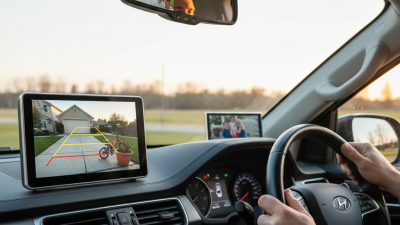
Compatibility also includes camera angles and weather resistance. Check whether the rear camera can mount above the license area without blocking its view. Test the cable route around doors, trim panels, and hatch hinges. A poor route may pinch the cable or create distracting noise. Confirm that the system supports your vehicle’s voltage and starts reliably in cold or hot conditions. Consider local privacy and recording rules as well. Installation quality matters more than impressive specifications. A system can have excellent resolution, yet fail when its lens is misaligned. Always test day and night footage after fitting. The first setup may need adjustment.

7 Tips for Choosing the Best Car Camera System: Check Vehicle Compatibility

Start by checking the vehicle’s electrical system before installation. Passenger cars and light commercial vehicles commonly use a nominal 12-volt system, while heavy-duty trucks and buses commonly use a nominal 24-volt system. Confirm the actual vehicle voltage and the camera system’s power requirements before connecting any equipment.

Evaluate Reliability, Privacy, and Long-Term Value

A dependable car camera system should survive heat, vibration, and repeated overnight recording. I test startup time, night detail, card recovery, and footage transfer before trusting it. Look for stable mounting, clear timestamps, automatic file protection, and a power system that will not drain the vehicle battery. NHTSA reported 3,142 distracted-driving deaths in 2020, so clear evidence can matter after a confusing incident. Still, a camera cannot replace attentive driving.

Privacy deserves equal attention. Choose a system with encryption, restricted mobile access, and adjustable recording zones. Check whether cloud storage is optional, how long files remain online, and whether deletion is simple. A camera facing a driveway may capture neighbors, visitors, or children unintentionally. That risk is easy to overlook. I once focused on image quality and ignored default location tagging; changing that setting took only minutes, but I should have checked it earlier.

Long-term value depends on more than the purchase price. S&P Global Mobility reported the average U.S. vehicle age reached 12.6 years in 2024, making durable equipment worthwhile. Compare warranty length, replacement cable costs, storage compatibility, and software support. Check performance after several hot days, not just during a showroom demonstration. Prefer systems that keep recording when connectivity fails. A lower-priced unit may become expensive after repeated card errors, battery replacements, or discontinued applications. Review the manual carefully. Small omissions can become daily frustrations.