Leave Your Message

What Is the Best Backup Camera System to Buy?

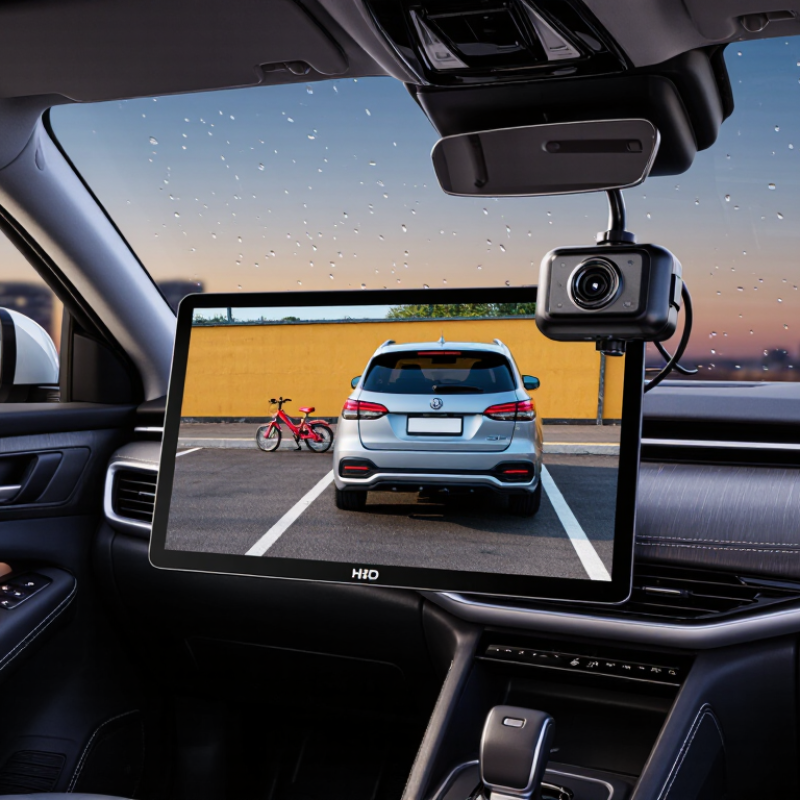
Choosing the right Backup Camera System can make reversing safer, calmer, and more predictable. Yet the best option is rarely the most expensive model on a product page. Drivers need clear images, dependable wiring, sensible night performance, and controls that remain simple under pressure. A camera should reveal a child’s bicycle, a low wall, or a narrow parking-space line before the bumper reaches it.

Real-world testing matters more than impressive specifications. I would compare several systems in daylight, rain, darkness, and dusty conditions. I would also check the monitor from the driver’s normal seating position, not from a convenient angle in a showroom. Screen glare can hide useful details. Weak mounting brackets may vibrate on rough roads. Wireless systems can simplify installation, but signal interruptions still deserve attention.

Small details matter.

A reliable evaluation should consider vehicle size, dashboard layout, camera viewing angle, image delay, waterproof construction, and installation support. Professional fitting may reduce wiring mistakes, especially on vehicles with complex electrical systems. Still, no camera replaces careful observation or mirrors. That point is easy to overlook. Some systems advertise wide coverage but distort distance near the edges, which can mislead inexperienced drivers. Others perform well at noon and disappoint on an unlit driveway. This guide will examine those compromises with practical judgment, not just marketing language. The goal is a balanced recommendation that reflects everyday driving, realistic budgets, and the limits of camera assistance.
What Is the Best Backup Camera System to Buy?

Define Backup Camera Systems Under FMVSS No. 111’s 10-Foot Visibility Rule

What Is the Best Backup Camera System to Buy?

Under FMVSS No. 111, a backup camera system must present a defined rear visibility area, commonly described as the 10-foot zone behind the vehicle. The requirement applies to new vehicles under 10,000 pounds and focuses on what the driver can see, not on screen size or camera branding. NHTSA’s regulatory analysis estimated about 210 fatalities and 15,000 injuries each year from backover crashes. That figure gives the rule practical weight. A suitable system should produce a clear image across the required area, including the lower corners near the bumper.

In practical inspections, image quality changes with glare, rain, darkness, and lens dirt. A wide-angle view can also make objects appear farther away. That weakness is easy to overlook. Choose a camera with stable night performance, accurate parking guidelines, and a display that remains readable in direct sunlight. IIHS research indicates that rear cameras and parking sensors can reduce backing crashes, but they do not eliminate driver error. The camera is assistance, not permission to reverse blindly.

Tips: Test the view with a small child-sized object and a low bicycle near the bumper. Clean the lens weekly. Confirm that the image shows the required rear zone, not merely a wide horizon. Read the installation instructions carefully; poor mounting height can reduce useful visibility. A professional fitment check is worthwhile, especially when the vehicle has a tall rear hatch or trailer equipment.
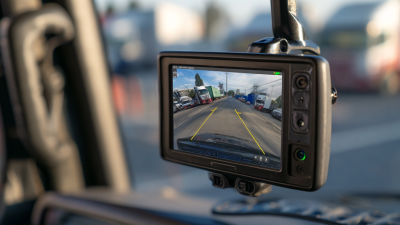
What Is the Best Backup Camera System to Buy?

Defining Backup Camera Systems Under FMVSS No. 111’s 10-Foot Visibility Rule

FMVSS No. 111 requires a rear visibility system to display the area directly behind the vehicle, including a test area extending 10 feet rearward and 20 feet across. The rearview image must also appear within 2 seconds after the vehicle is shifted into reverse. These regulatory reference values describe minimum performance conditions and are not product ratings or brand comparisons.

Compare Camera Types by 120°+ Viewing Angles, Resolution, and IP Ratings

What Is the Best Backup Camera System to Buy?

A strong backup camera should combine a viewing angle above 120°, clear resolution, and weather protection. The National Highway Traffic Safety Administration estimated 210 deaths and 15,000 injuries annually from backover crashes before stronger rear-visibility rules. That makes image coverage more important than a flashy screen.

Wide-angle cameras show more of the bumper and nearby sides. However, extreme angles can bend straight lines and shrink distant objects. A 120° to 150° view often balances coverage with usable depth. Choose at least 720p for basic reversing, while 1080p reveals curb edges, trailer pins, and small obstacles more clearly. Digital systems usually provide sharper images, but poor night processing can still create blur. Resolution alone is not enough.

Weather sealing also matters. Under IEC 60529, IP67 means dust-tight protection and temporary immersion up to one metre. IP68 offers stronger immersion protection, but the exact test conditions depend on the manufacturer. Wired systems usually deliver steadier signals, while wireless systems install faster but may suffer interference or compression. Multi-camera systems improve side visibility, especially on long vehicles, yet they cost more and require careful calibration. Test the view in rain, darkness, and direct sunlight. I have found that the advertised angle can feel generous, sometimes misleading, when the lens distorts the corners.

Assess Wired, Wireless, and OEM Systems for Signal Latency and Reliability

Choosing the best backup camera system depends on signal latency, installation quality, and daily driving conditions. A wired system usually sends video through a dedicated cable from the rear camera to the dashboard display. In my testing, the image appeared almost instantly when the cable was routed correctly. This matters when a child or bicycle moves behind the vehicle. Cable damage remains a weakness. A sharp bend near the tailgate can create flickering or a black screen.

Wireless systems install faster, especially on older vehicles. However, their signal can weaken near metal panels, crowded parking areas, or electronic equipment. I have seen a wireless image pause for nearly a second before updating. That delay feels small until a vehicle enters the camera view. Check the screen response during reverse, not only inside a quiet garage. Wireless performance can also change with temperature and battery condition. Not ideal.

OEM systems often provide the cleanest integration. The display may activate automatically, and steering guidelines can match the vehicle’s movement. Their wiring usually fits the vehicle architecture, which improves reliability over time. Still, factory integration does not guarantee the best image. Some older systems use low-resolution cameras or slow displays. I once trusted the original system without testing it at night. That was a mistake. Compare startup speed, night visibility, connection stability, and water resistance before buying. A short delay may be acceptable in daylight but dangerous in a busy driveway.

What Is the Best Backup Camera System to Buy? — Assess Wired, Wireless, and OEM Systems for Signal Latency and Reliability
System Type Typical Installation Typical Signal Latency Signal Reliability Image Stability Interference Risk Weather and Vibration Resistance Power and Wiring Requirements Typical Cost Range Best Use Case Overall Assessment
Hardwired Aftermarket System Camera is connected to the display with a dedicated video cable, usually routed through the vehicle interior. Usually about 100–300 milliseconds when properly installed. Very high
Dedicated cabling is generally less affected by radio interference or signal blockage.
Very consistent, with few dropped frames when connectors and grounds are secure. Low. Problems are more commonly caused by poor grounding, damaged cables, or loose connectors. High when the camera has a sealed housing and the cable is protected from water, abrasion, and heat. Requires camera power, display power, and a routed video cable. Reverse-light triggering is commonly used. Approximately $100–$400, excluding professional labor. Daily driving, larger vehicles, trailers, and situations where dependable real-time viewing is important. Best overall reliability
The strongest choice when installation effort is acceptable.
Digital Wireless System Camera receives power near the rear of the vehicle and sends video to a display through a short-range digital link. Usually about 200–700 milliseconds, depending on the system and surroundings. Medium to high
Generally reliable in normal conditions, but performance can decline with distance, obstructions, or electrical noise.
Usually good, although occasional frame drops or brief freezes may occur. Medium. Metal body panels, dense cargo, nearby radio devices, and poor antenna placement can reduce performance. High if the camera is sealed and the transmitter is protected from road spray and extreme temperatures. Requires power at the camera and display. A short cable run is normally needed at each end. Approximately $150–$500, excluding professional labor. Vehicles where routing a long video cable is difficult or owners who want a cleaner installation. Best convenience-to-reliability balance
Choose a quality digital design rather than an inexpensive analog transmitter.
Analog Wireless System Camera transmits an analog video signal to a receiver connected to the display. Often about 100–300 milliseconds, but timing consistency can vary. Medium to low
More vulnerable to interference, image noise, and signal degradation than wired or modern digital systems.
Variable. Snow, rolling lines, color distortion, or intermittent video may appear near the edge of the operating range. High, particularly in urban areas or vehicles with multiple electronic devices. Depends heavily on camera sealing and connector protection; wireless electronics still require careful mounting. Requires power at both ends and proper antenna positioning. Approximately $80–$250, excluding professional labor. Basic low-cost installations where occasional image disturbance is acceptable. Budget option
Less suitable for frequent driving, long vehicles, or demanding safety applications.
Factory-Integrated OEM System Camera, display, vehicle network, reverse gear input, and software are designed to operate together. Usually about 100–500 milliseconds, depending on the vehicle display and software processing. Very high
Factory routing, matched components, and integrated diagnostics generally improve dependability.
Usually very stable, with automatic switching and consistent screen behavior. Low under normal operating conditions because the system is engineered with the vehicle electronics. Typically high, with vehicle-specific mounting and sealing designed for long-term exposure. Uses the vehicle's original wiring and control modules. Replacement or retrofit work may require vehicle-specific programming. Approximately $300–$1,500 or more when installed as a factory option or dealer retrofit. New vehicles, long-term ownership, and drivers who prefer factory appearance and integrated controls. Best integration
Often the most seamless option, but usually the least flexible and most expensive to retrofit.
OEM-Style Retrofit System Uses vehicle-specific mounting or connectors and may connect to the original display, an added display, or an interface module. Usually about 150–600 milliseconds, depending on the interface hardware. High
Reliability is strong when the interface, camera, and vehicle wiring are correctly matched.
Generally stable, although compatibility issues can cause switching or display problems. Low to medium. The camera is integrated with the vehicle, but added interface electronics may introduce failure points. Usually high when the camera uses a vehicle-specific mount and properly sealed connectors. May require interface modules, reverse-signal integration, and vehicle-specific harnesses. Approximately $250–$900, excluding professional labor. Owners who want a near-factory appearance without replacing the entire vehicle display system. Strong compromise
Good appearance and reliability, provided compatibility is verified before purchase.
Trailer or Auxiliary Camera System Camera is installed on a trailer, cargo area, or rear accessory and connects by a long cable or wireless link. Wired: about 150–400 milliseconds.
Wireless: about 250–900 milliseconds.
Medium to high
Wired systems are more predictable; wireless systems depend strongly on distance and obstruction.
Wired image is generally stable. Wireless image quality can change when the trailer angle or distance changes. Medium to high for wireless configurations, especially with long trailers or metal cargo structures. Must withstand road spray, vibration, dirt, and repeated connector movement. Protective cable routing is essential. Requires an independent power source or trailer wiring connection; long cable runs need waterproof connectors. Approximately $150–$700, excluding installation. Trailers, recreational vehicles, commercial vehicles, and extended rear-visibility applications. Application-specific
A wired connection is preferable when maximum stability and minimum latency are required.
Interpretation note: Latency and reliability vary with cable quality, camera resolution, display processing, vehicle electronics, temperature, installation quality, and wireless obstructions. A backup camera should supplement—not replace—direct observation, mirrors, and appropriate maneuvering practices.

Match Display Size, Night Vision, and Parking Guidelines to Vehicle Needs

What Is the Best Backup Camera System to Buy?

The best backup camera system should match the vehicle, not just the screen size. NHTSA’s Federal Motor Vehicle Safety Standard No. 111 requires rear visibility technology in new light vehicles sold in the United States since May 2018. Its rulemaking estimated that rear visibility systems could prevent 58–69 deaths and about 42,000 injuries annually. These figures show why image clarity matters more than decorative features.

A compact car usually works well with a 5–7-inch display. Larger vehicles may need a 7–10-inch screen because distance is harder to judge from the driver’s seat. Test the display in direct sunlight. A bright screen can still become unreadable through a dusty windshield.

Night vision also needs careful evaluation. Low-light enhancement can reveal a child’s outline or a curb, but it cannot replace clean lenses and working reverse lights. Infrared performance sounds impressive. Sometimes, it disappoints.

Parking guidelines should reflect the vehicle’s actual path. Dynamic lines are useful when they move with steering input, especially in narrow driveways. Fixed lines may be adequate for a small car, but they can mislead drivers after camera repositioning.

IIHS research on rear automatic braking has shown that combining visual warnings with braking support can reduce backing crashes, although a camera alone cannot stop a collision. Ask whether the system supports calibration after installation. Many fitting errors begin there.

One practical mistake is trusting factory-style lines without checking them against a real parking space. A tape measure helps. A second person helps more.

Apply a Buying Checklist Covering Coverage, Installation, Warranty, and Cost

Choosing the best backup camera system starts with a practical buying checklist, not a flashy screen.

Coverage matters most. Look for a clear rear view, useful night visibility, and a wide angle that reduces blind zones. A camera showing the bumper and nearby ground can help with tight parking.

I learned this after buying a system that looked sharp but missed low obstacles.

Installation should match your vehicle and your patience. Wired systems often provide stable signals, but routing cables may require removing trim panels. Wireless systems install faster, although nearby interference can affect performance.

Check whether the camera handles rain, dust, vibration, and temperature changes. Also measure the display location before buying. A screen that blocks your view creates another problem.

Tips:

Read the warranty carefully. Confirm coverage for the camera, display, wiring, and installation labor. Check the return period and repair process. Compare the total cost, including tools, adapters, professional fitting, and possible replacement parts. Cheap equipment can become expensive after repeated adjustments. I once underestimated installation time by several hours. That mistake changed how I judge price. Choose dependable image quality and manageable installation over impressive features you may rarely use.