Leave Your Message

What Are the Best Types of Backup Cameras?

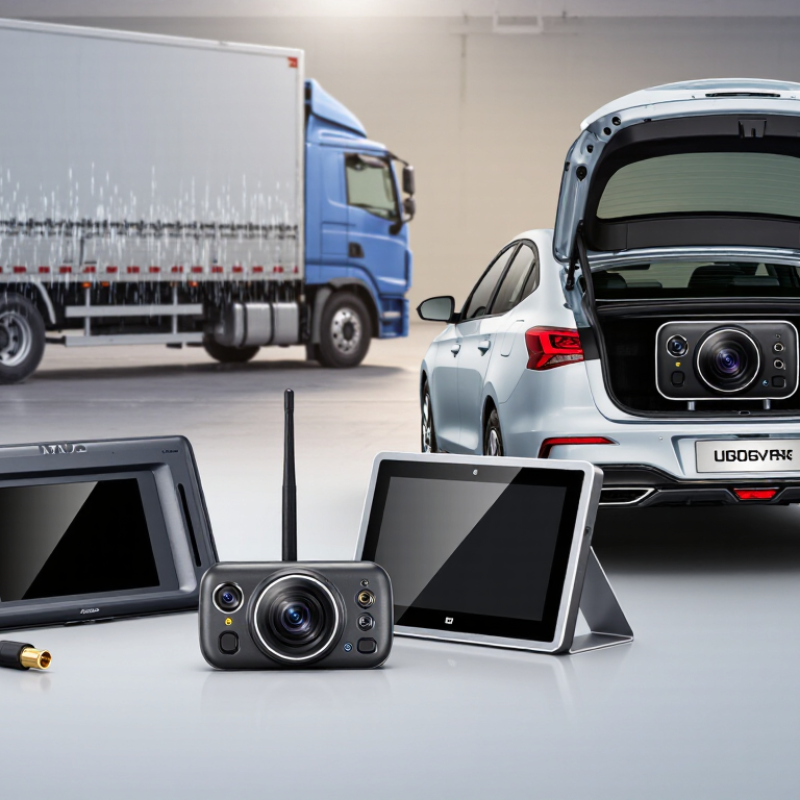
Backup Cameras vary in more than screen size. The right type depends on your vehicle, parking habits, and tolerance for installation work. A wired system usually offers a steady connection, while wireless models can simplify installation but may experience signal interference. Built-in cameras look clean and integrate with the dashboard. Aftermarket kits offer more flexibility, though fit and image quality differ.

There is no single best choice. A driver backing a long pickup into a dim driveway may value a wide viewing angle and clear night image. Someone parking a compact car in a bright garage may prefer a simple display and quick setup. Look closely at screen placement, camera weather protection, image delay, and whether guidelines can be adjusted. Small details matter. A lens that collects road grime can make a capable camera frustrating.

A reliable expert quotation was not included with the supplied material, so I won’t invent one or attribute words to a named specialist. This guide instead compares the main Backup Cameras types using practical buying criteria: visibility, installation, compatibility, and everyday ease. Treat specifications as a starting point, not a promise. Vehicle shape, lighting, and installation quality can change the result. That deserves a second look.
What Are the Best Types of Backup Cameras?

How Backup Cameras Detect and Display Obstacles

A backup camera usually captures, rather than identifies, obstacles. Its image sensor converts light into a video feed, which appears on the dashboard display. Wide-angle lenses show more of the area behind the vehicle, but objects near the screen’s edges can look farther away. That distinction matters. The driver still has to interpret the image.

Some systems add ultrasonic sensors, which send out sound pulses and estimate distance from returning echoes. Their beeps often become faster as an obstacle gets closer. Other systems use radar to watch for approaching traffic while reversing. On-screen guide lines can help estimate the vehicle’s path, but they may not adjust to every steering angle. NHTSA’s 2014 rear-visibility rulemaking specified a viewing area 10 feet wide and 20 feet behind the vehicle. The agency estimated that the rule could prevent 58 to 69 deaths and about 11,000 injuries each year. These figures describe projected benefits, not a guarantee for every camera. A wet lens, glare, or a low object can still be missed. Not perfect. Drivers should check mirrors and surroundings, too.

The Main Types of Backup Cameras

The Main Types of Backup Cameras

Backup cameras mainly differ by connection and screen placement. Wired systems send video through a physical cable to a dashboard or mirror display. Their signal is generally dependable, but routing cable through a hatch or trim takes time. Wireless systems are quicker to install. Nearby electronics or obstacles can sometimes disturb the signal. Mirror-mounted displays place the image near the driver’s usual sightline, while dashboard-integrated screens keep the cabin uncluttered. Fit and visibility vary by vehicle.

The Insurance Institute for Highway Safety reported that rearview cameras were associated with a 17 percent reduction in backing-crash rates in its research. A camera still cannot show every obstacle, especially low objects close to the bumper. No type is foolproof. A slightly awkward screen angle can also make distance harder to judge, so check the view from the driver’s seat before choosing.

Tips: Match the camera’s field of view to your parking space and vehicle size. Test the image in daylight and dim light. Check for a clear view of the bumper edge, and keep the lens clean; road dust can blur a small screen quickly.

How Camera Designs Differ in Features and Performance

Backup cameras differ less by screen size than by how they connect, where they sit, and what the driver can see. Wired systems send video through a physical cable, which can provide a steady signal but may require more involved installation. Wireless designs reduce cable routing, though nearby electronics or poor placement can sometimes affect the picture. A clean image matters most when reversing in rain or at dusk.

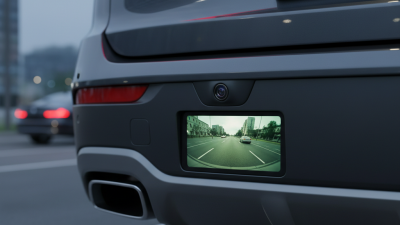
A camera mounted near the license plate gives a low, wide view of the area behind the vehicle. That helps reveal curbs and objects close to the bumper, but the lens can collect road grime quickly. Mirror-integrated displays keep the image near the driver’s natural line of sight. Some replace the normal mirror view while active; others show a smaller screen within it. The difference can feel minor in a showroom. On a dark driveway, it may not.

Multi-camera setups can cover blind spots along the sides or front, while a single rear camera keeps controls and installation simpler. Look for useful low-light performance, adjustable guidelines, and a display that remains readable in bright sunlight. Guidelines are estimates, not promises. They may not match the vehicle’s turning path precisely, so drivers should still check mirrors and look around. One detail is easy to miss: a sharp image cannot compensate for a lens blocked by mud.

What Are the Best Types of Backup Cameras? — How Camera Designs Differ in Features and Performance
Camera Design Typical Installation Main Advantages Trade-Offs Best Suited For
License-Plate-Mount Attaches around or near the rear license plate; usually connects to an in-vehicle display by cable or wireless link. Often avoids drilling into body panels; camera position is relatively low and near the vehicle center. May be exposed to dirt, road spray, and impact. The bracket must not obscure the plate or its required visibility. Drivers seeking a broadly compatible retrofit with a straightforward mounting location.
Flush-Mount Set into a drilled opening in a bumper or body panel, with the lens close to the vehicle surface. Compact appearance and a stable, unobtrusive mounting position. Usually requires careful measuring and drilling; the viewing angle is less adjustable after installation. Installations where a neat, integrated look is a priority and permanent bodywork is acceptable.
Surface-Mount Fastened to an exterior surface, commonly above or near the rear plate; some mounts use screws and others use a suitable adhesive. Flexible positioning and simpler installation than a flush-mounted design in many vehicles. The camera is more visible and may be more exposed to weather or accidental knocks; mount stability matters. Retrofits where adjustable placement and avoiding a large body-panel opening are important.
Vehicle-Specific Replacement Replaces or fits into an existing vehicle component, such as a rear handle or designated camera location. Can provide a factory-like fit and may work with an existing display or wiring when the vehicle supports it. Compatibility depends on the vehicle’s year, trim, connector, and display system; installation can require trim removal. Owners who want an integrated appearance and have confirmed vehicle-specific compatibility.
Wireless Camera System Transmits the camera image to a compatible monitor without a long video cable between the rear camera and display; power wiring is still commonly needed. Can reduce the difficulty of routing a video cable through a long vehicle. Signal reliability and image delay can vary with distance, obstructions, and interference. “Wireless” does not necessarily mean wire-free. Vehicles where running a video cable is especially difficult, provided the system is tested for a stable connection.
Wired Camera System Uses a physical video cable between the rear camera and the display; power connections are also required. Generally offers a consistent connection and avoids radio-signal interference. Cable routing can take more time, especially in larger vehicles or vehicles with complex trim. Drivers prioritizing a dependable video connection and willing to complete or arrange cable installation.
Performance also depends on the image sensor, lens angle, low-light capability, display quality, installation position, and lens cleanliness. Check vehicle compatibility and local requirements before installing a camera.

Which Backup Camera Types Suit Different Vehicles

A compact sedan usually suits a small camera mounted near the license plate. Its lower position can show the curb and nearby obstacles clearly. Choose a wide view, but avoid extreme distortion. Straight parking lines can help, though they may not match the car’s path perfectly. Check the view from the driver’s seat before settling on a screen location.

SUVs and pickup trucks have taller rear ends and larger blind zones. A tailgate-mounted camera often gives a useful view behind the vehicle, but mounting height affects how far away objects appear. That matters when reversing toward a low bollard or trailer hitch. Some drivers benefit from an additional high-mounted view, especially with a truck bed or camper. More views can help, but switching between them may take attention.

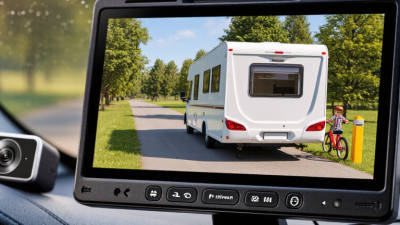
Vans and recreational vehicles often need longer cable runs. A wired camera can provide a steady image, while a wireless model may simplify installation; signal quality can vary with vehicle size and obstructions. Test the picture in daylight and at dusk. Keep the lens clear, too. Small details matter. There is no perfect setup for every vehicle, and a camera cannot replace mirrors or a careful walk-around when visibility is limited.

Best Backup Camera Types for Different Vehicles

Scores show relative suitability based on typical mounting and coverage needs, from 1 (limited fit) to 5 (strong fit). They are general guidance, not measured performance ratings; check camera and vehicle compatibility before installation.

Factors to Consider When Choosing a Backup Camera

A backup camera’s useful view matters more than a long list of features. Check whether the image shows the ground close behind the bumper, not just distant pavement. NHTSA’s 2014 rear-visibility rule specifies a test area 10 feet wide and 20 feet behind a vehicle. That gives shoppers a practical reference for comparing coverage. A very wide lens can reveal more at the edges, but may make nearby objects look smaller or farther away. Test the view with a child-sized object in a safe, empty parking area.

Screen position and image quality also affect everyday use. A display near the driver’s natural sightline can reduce awkward glances, while a bright screen helps in midday sun. At dusk, look for a clear image without excessive grain. Small details matter. Wired systems may avoid wireless signal interruptions, but installation can take more work. Wireless options are simpler to fit, though signal delay or interference is worth checking. Read the specifications, then test the camera in rain or low light if possible; claims alone are not enough.

Consider durability, too. A camera mounted near the license plate faces road spray, dust, and temperature changes. Check its water-resistance rating and whether the lens can be cleaned easily. NHTSA has estimated roughly 210 backover deaths and 15,000 injuries annually in its rear-visibility rulemaking, underscoring why a camera should supplement careful mirrors and direct checks, not replace them. A setup can still have blind spots. That part is easy to forget.